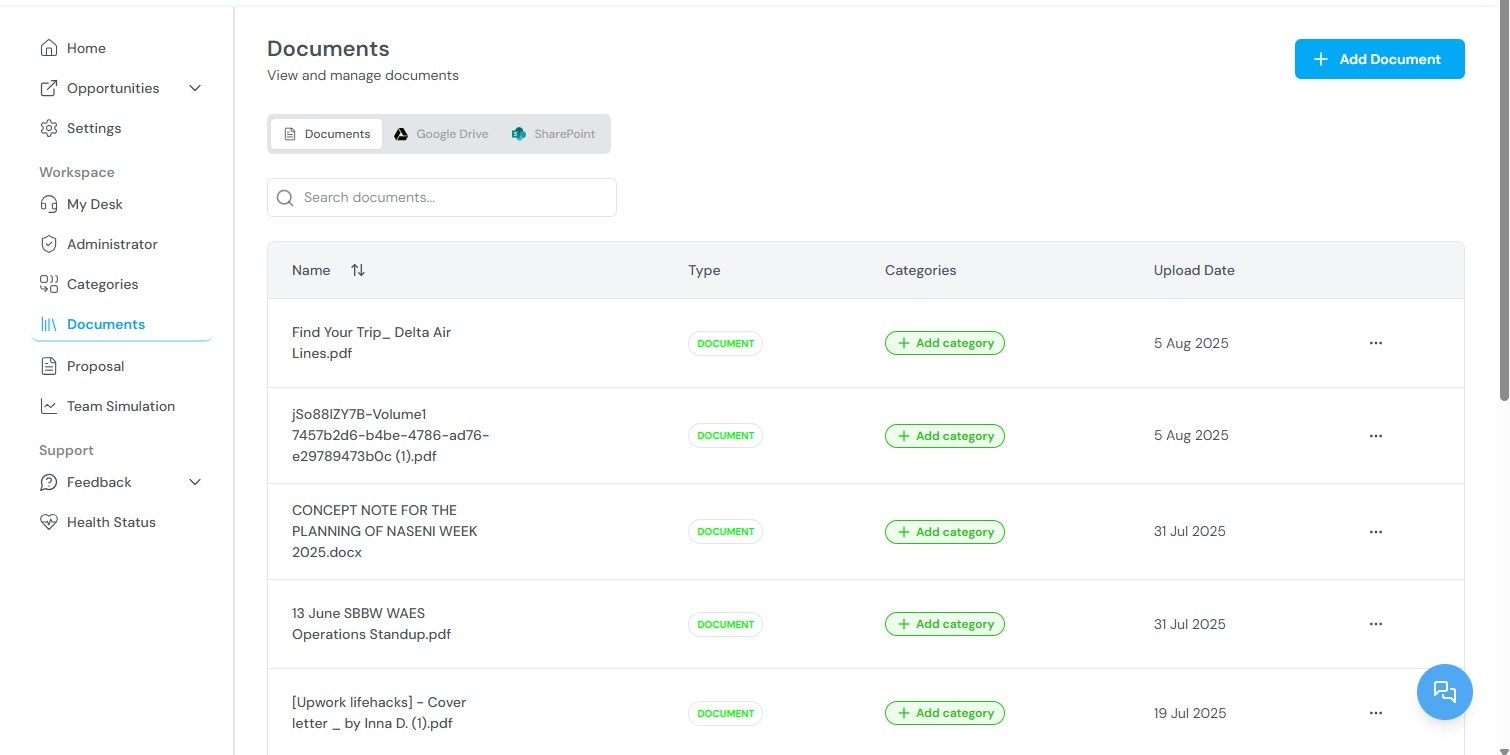
The Documents section stores all files uploaded by your organization. These files are used by the AI during proposal generation and team simulation. The quality and relevance of uploaded documents directly affects the accuracy of generated proposals and simulation results. Documents section showing uploaded files

Available functions

From the Documents section, you can:
  • View all previously uploaded documents
  • Upload new documents
  • Tag documents with categories for organization and filtering
  • Reuse documents across multiple opportunities and proposals
The following document types improve the quality of AI-generated proposals and simulation results:
Document typeHow it is used
Past performance narrativesProvides evidence of prior contract work. The AI references these when generating past performance sections.
Capability statementsDescribes your organization’s core competencies. Used in both proposal generation and team simulation.
Key personnel resumesIdentifies qualified staff. The AI references these when generating staffing and management sections.
Organizational chartsShows team structure. Used in management approach sections.
Certifications8(a), HUBZone, SDVOSB, and other certifications. Referenced in compliance and eligibility sections.
Previous proposalsPrior submissions provide style and content references for the AI.

Organizing documents with categories

Documents can be tagged with one or more categories. Categories are classification labels that support search, filtering, and grouping across the platform. To manage categories, see Categories.
  • Categories — Creating and managing classification tags for documents.
  • Proposal Generation — How uploaded documents are used in proposal generation.
  • Team Simulation — How uploaded documents affect simulation accuracy.
Parent topic: Kontratar v1.2 Documentation