Before you begin: You must be logged in to Kontratar. If you do not have an account, see the Quick Start.
Navigating to Opportunities
- From the Home Dashboard, click Opportunities in the left sidebar.
- The Opportunities section contains two tabs: SAM and Custom.
SAM opportunities
The SAM tab displays federal contract opportunities sourced from SAM.gov (System for Award Management). SAM is the official U.S. government system for publishing contract solicitations. To browse SAM opportunities:- Select the SAM tab.
- Browse the available listings.
- Click any opportunity to view its full details.
.png?fit=max&auto=format&n=n4UKL_7oO-2yPGeD&q=85&s=909e7ce4fada05de9b5f2147f836a704)
.png?fit=max&auto=format&n=n4UKL_7oO-2yPGeD&q=85&s=9f9dd13e5668a9fbb9b2d26ce93827a2)
.png?fit=max&auto=format&n=n4UKL_7oO-2yPGeD&q=85&s=0845e8e2a484b0eef2764a676e577493)
- To track an opportunity, click Track. The opportunity moves to My Desk for follow-up.
.png?fit=max&auto=format&n=n4UKL_7oO-2yPGeD&q=85&s=84d45514d932be115dbf8b5e4709a07a)
Filtering SAM opportunities
You can narrow results using the following filters:
You can also generate a proposal or create a response directly from any opportunity in the SAM tab.
Custom opportunities
The Custom tab displays opportunities created manually by your organization. Use this tab for state or local government bids, commercial RFPs, or any solicitation not published on SAM.gov. To manage custom opportunities:- Click the Custom tab.
.png?fit=max&auto=format&n=n4UKL_7oO-2yPGeD&q=85&s=c4618d9a1a2d27981f595548eca22e1e)
- View existing custom listings, or create a new one.
- Click Proceed to Track to save a listing to My Desk.
.png?fit=max&auto=format&n=n4UKL_7oO-2yPGeD&q=85&s=b953b4bd581d16883cd0f39a28455f92)
.png?fit=max&auto=format&n=n4UKL_7oO-2yPGeD&q=85&s=5d552ca88440b03b7c01394c22fd5f1d)
- Use the date filter to sort listings by recency.
My Desk
My Desk is your personal workspace for managing all opportunities you have acted on. It contains three tabs: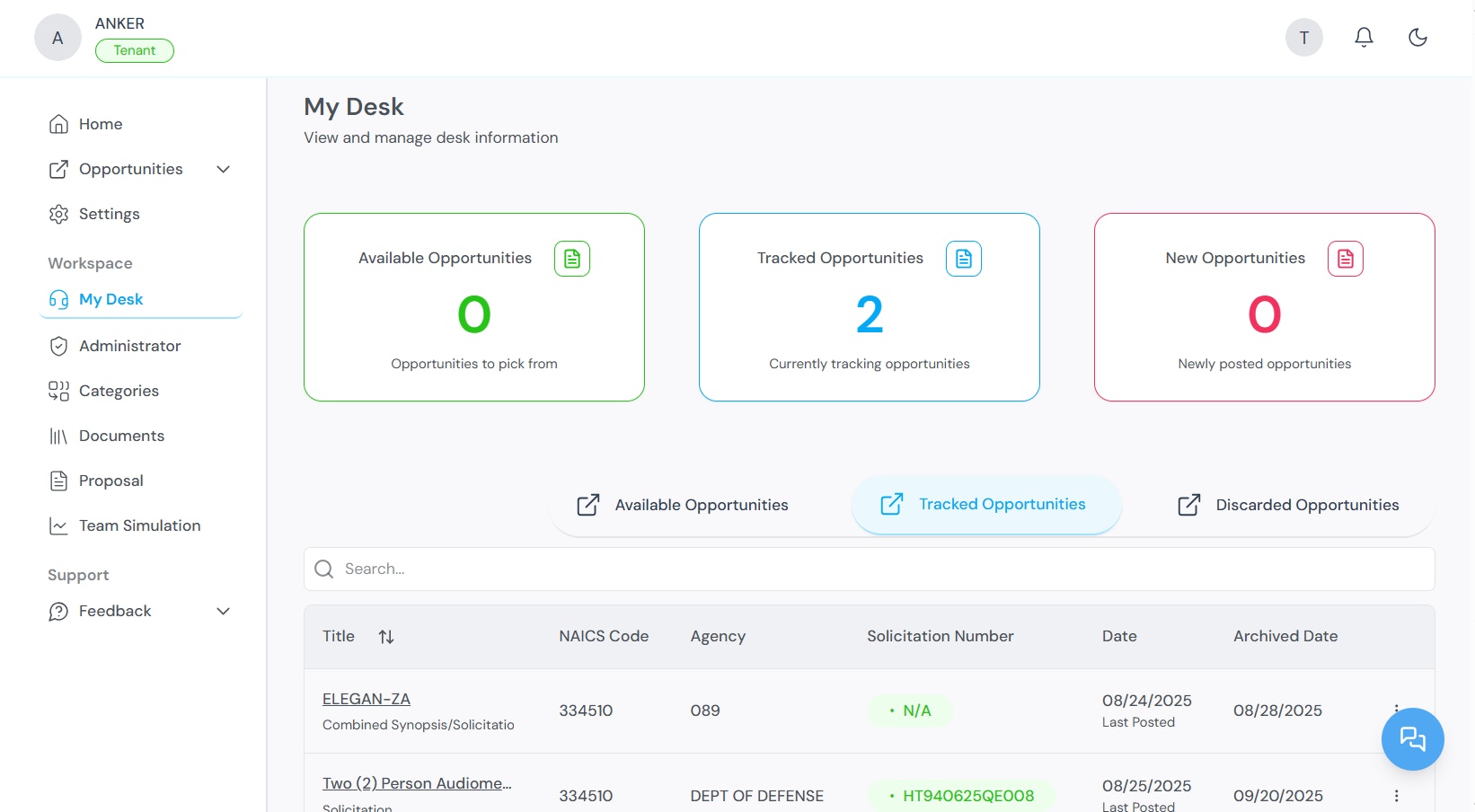
From My Desk, you can:
- Generate proposals and begin proposal drafts for tracked opportunities
- Customize proposal content for each opportunity
- Generate a table of contents for each proposal
Partners
Some contract opportunities require collaboration with external organizations. The Partners section within My Desk allows you to:- View opportunities that may require teaming arrangements
- View ranking data for potential collaborators
- Manage partnership-based submissions
- Manage and edit partner profiles
Discarded opportunities
All opportunities you have chosen to pass on are stored in the Discarded Opportunities tab. You can:- Review previously discarded opportunities at any time
- Re-track an opportunity if it becomes relevant again
What to do next
After tracking opportunities:- Go to My Desk to review your tracked pipeline.
- Use Team Simulation to evaluate your fit before committing to a bid.
- Use Proposal Generation to create a response for a tracked opportunity.
Related topics
- Quick Start — Account creation and initial configuration.
- Proposal Generation — Creating proposals from tracked opportunities.
- Team Simulation — Evaluating organizational fit.
- Administrator Workspace — Managing partners, agencies, and NAICS codes.